تفاصيل المنتج
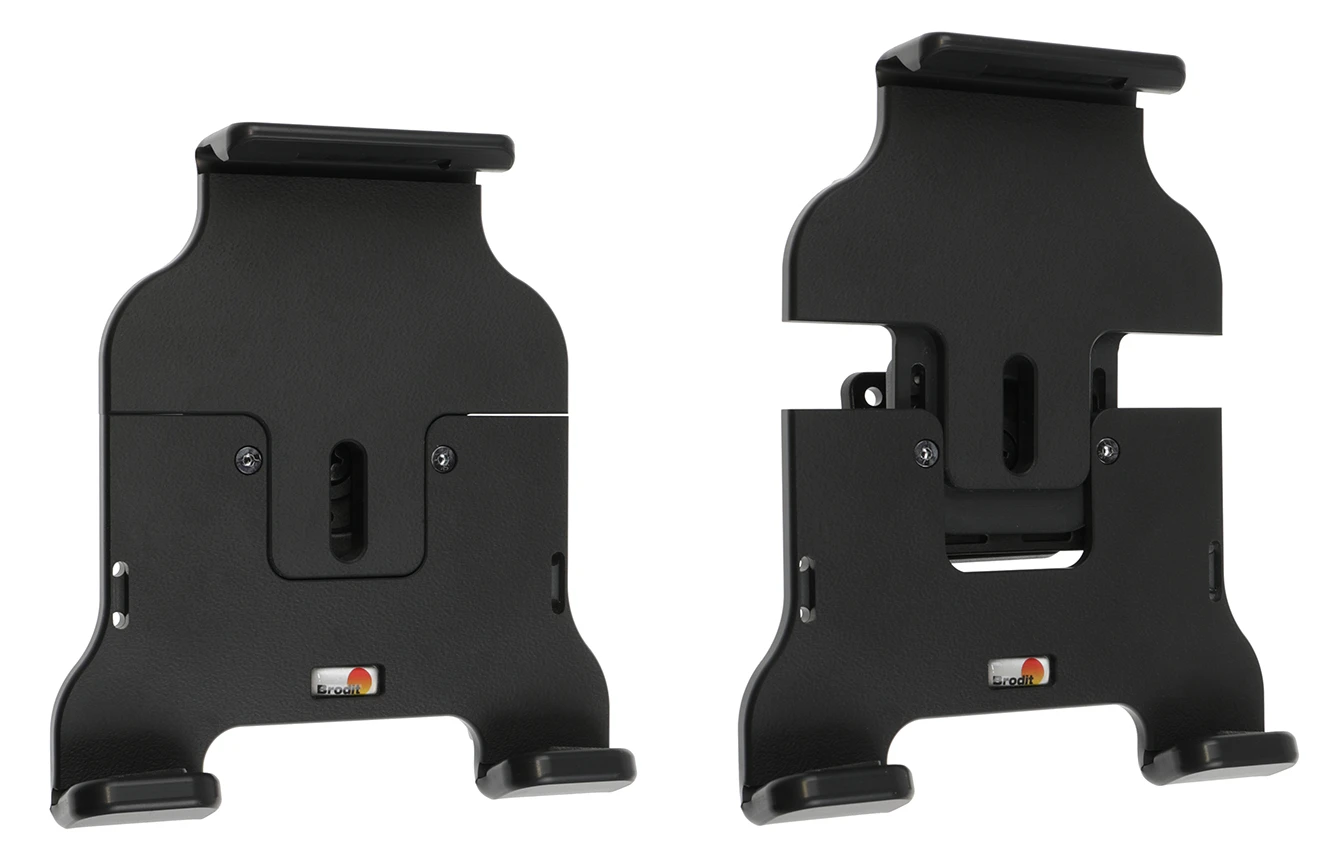
Passive holder with tilt swivel
6 شاهد الناس هذا العنصر خلال الأسبوع الماضي
الكمية:
Adjustable passive holder with tilt swivel for devices with or without skin/case. Keep your device in a holder in your car and you will always have it within easy sight and reach. Safe, neat and convenient!
Measure your device/skin/case and compare with the holder specifications to choose the right product for you. This holder fits for devices with or without skin/case with the height 120-135 mm and maximum thickness 9 mm.
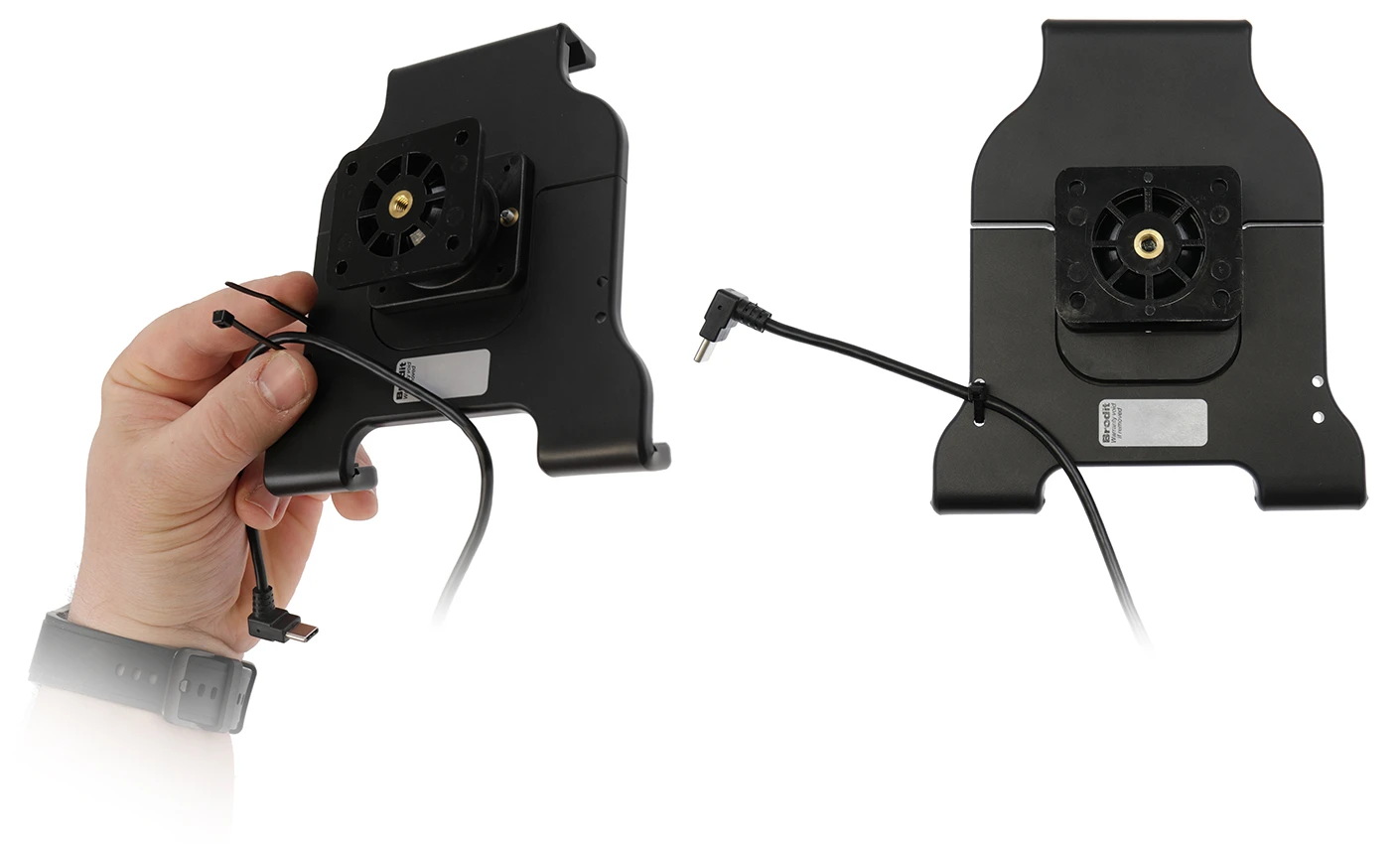
You can attach a charging cable to your device in order to get charging while in the holder. The holder is equipped with a tilt swivel and can easily be adjusted in order to avoid light reflection.Tilts 17° and swivels 360°. The holder have padded cushions for protection against sliding and scratching. It is easy to place the device in the holder, and to take it with you when leaving the car. Mounting plate 42x50 mm with predrilled AMPS-holes. Made of high grade black ABS/Acetal plastic. Made in Sweden
Choose installation placement with care, devices must not be placed in positions where they may block the view or important controls. The cradle should only be attached onto a suitable place. Installations always take place at the customer's own discretion and responsibility.
دليل تركيب المنتج
رقم الخطوة 1
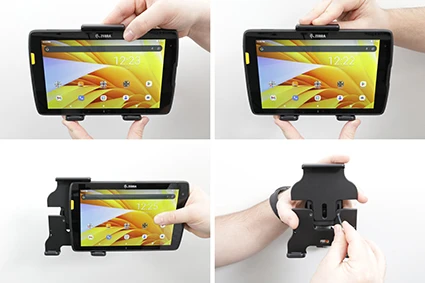
To adjust the holder for your device: Place the device IN the holder. Press down HARD on the top of the holder. Slide the device sideways out of the holder. Tighten the screws with the short end of the Allen key.
رقم الخطوة 2
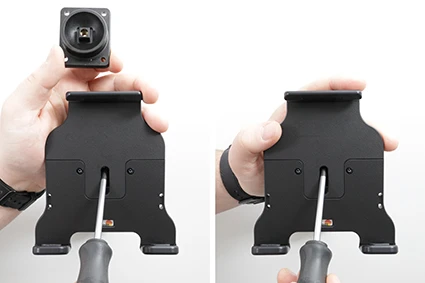
Loosen the screw in the middle of the holder so you can remove the mounting plate on the back. Place the mounting plate in the desired location. Secure the mounting plate with the supplied screws. Place the holder over the mounting plate so that the screw fits into the hole. Tighten the screw until the holder is firmly in place but can still be angled.
رقم الخطوة 3
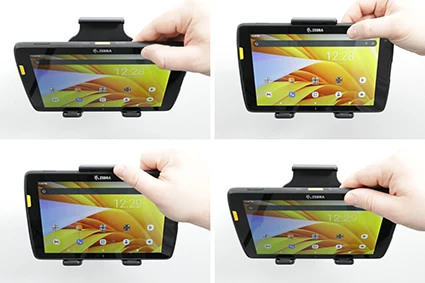
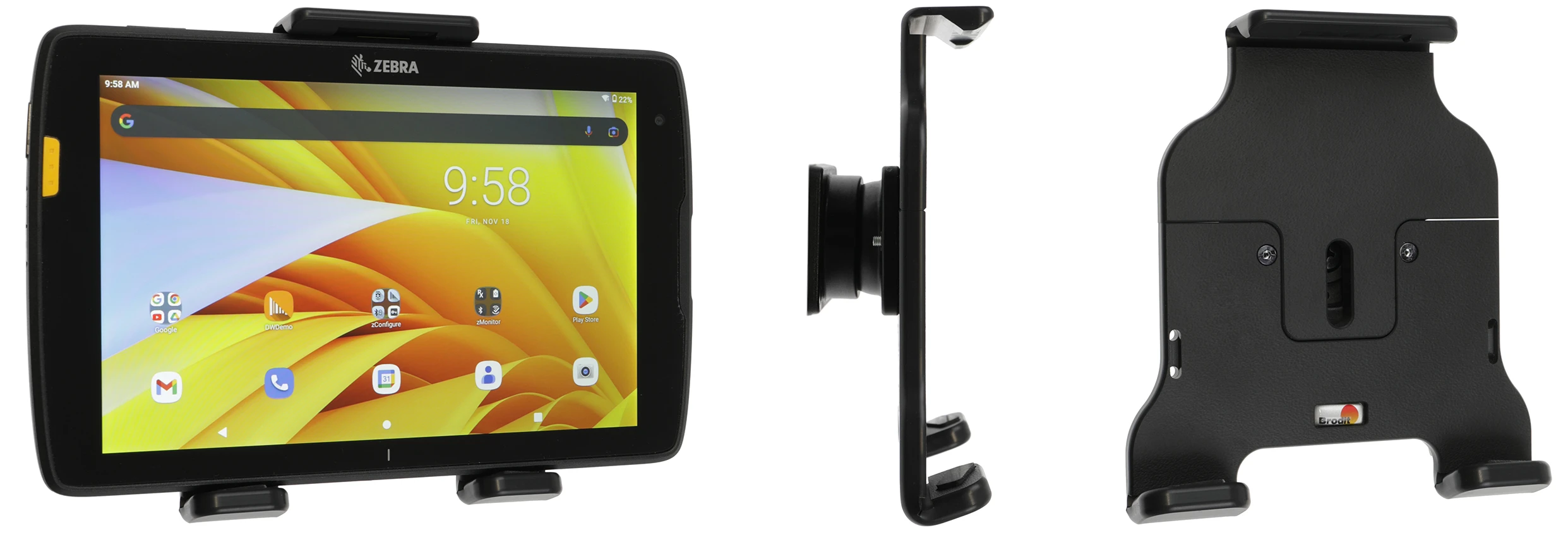
To insert the device into the holder: Place the lower part of the device into the holder and press forward on the upper part of the device so that it snaps into the holder. To remove the device from the holder: Press upwards on the upper part of the holder and pull the upper part of the device out of the holder first, then you can lift the device up/out of the holder.
رقم الخطوة 4
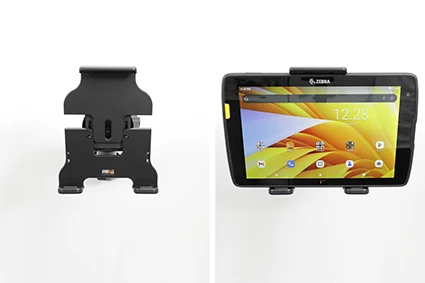
The holder fully assembled.

John Doe
Exceptional sound quality and comfort
Lorem ipsum dolor sit amet, consectetur adipiscing elit. Vestibulum at lacus congue, suscipit elit nec, tincidunt orci. Phasellus egestas nisi vitae lectus imperdiet venenatis. Suspendisse vulputate quam diam, et consectetur augue condimentum in.

Jane Smith
Great headphones, battery could be better
Lorem ipsum dolor sit amet, consectetur adipiscing elit. Vestibulum at lacus congue, suscipit elit nec, tincidunt orci. Phasellus egestas nisi vitae lectus imperdiet venenatis.

Michael Johnson
Impressive noise cancellation
Lorem ipsum dolor sit amet, consectetur adipiscing elit. Vestibulum at lacus congue, suscipit elit nec, tincidunt orci. Phasellus egestas nisi vitae lectus imperdiet venenatis. Suspendisse vulputate quam diam.