تفاصيل المنتج
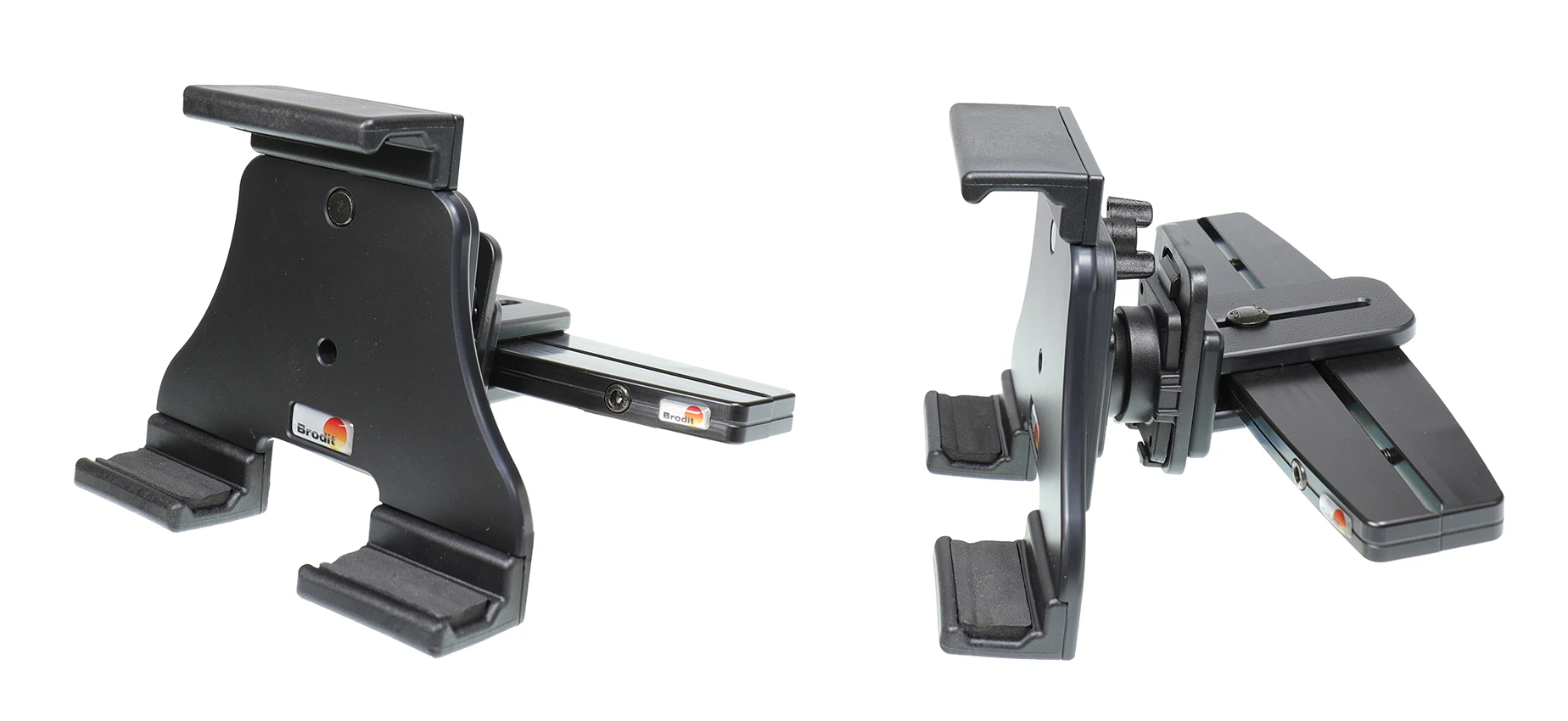
Passive holder with tilt swivel
215 شاهد الناس هذا العنصر خلال الأسبوع الماضي
الكمية:
Complete set with a headrest mount for your car + adjustable passive holder for your tablet + MoveClip speed clip.
HEADREST MOUNT WITH MOVECLIP
The headrest mount fits cars with the following dimensions:
- Minimum inner size between headrest bars: 95 mm
- Maximum outer size between headrest bars: 211 mm
The headrest mount is to be placed onto a front seat's headrest. The mount has a discreet design and blends in well, it is held firmly in place and offers a firm mounting platform. WIth MoveClip speed clip for easy attachment/removal of the holder.
ADJUSTABLE HOLDER
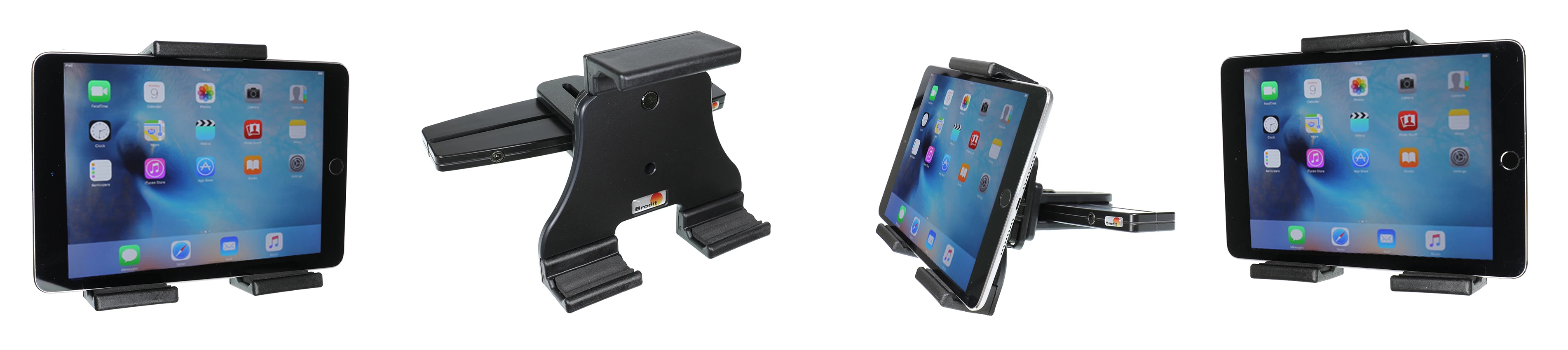
The holder fits tablets with or without skin/case with the following dimensions:
- Height 120-150 mm
- Maximum thickness 25 mm
You can attach a charging cable to your device in order to get charging while in the holder. The holder is equipped with a tilt swivel and can easily be adjusted in order to avoid light reflection. Tilts 17° and swivels 360°. The upper and lower parts of the holder have padded cushions for protection against sliding and scratching. It is easy to place the device in the holder, and to take it with you when leaving the car. It is also easy to remove the holder itself from the MoveClip speed clip on the headrest mount.
Quick and easy installation without any special tools or damage on the interior. With detailed installation instructions. Made of high grade black ABS/Acetal plastic. Made in Sweden.
دليل تركيب المنتج
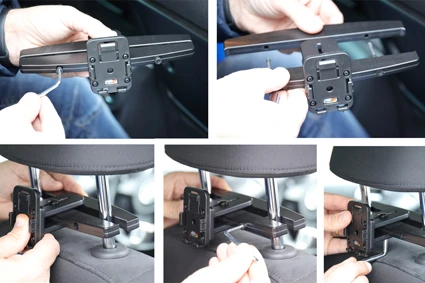
رقم الخطوة 1
Install headrest mount: Use the enlcosed tool to remove the screws in the headrest mount so you get two parts. Place the attaching part of the mount onto the front side of the headrest. Place the other part of the mount, with mounting plate, onto the back part of the headrest so the screws match the holes. Tighten the two screws so the mount is firmly in place. Adjust the position of the mounting plate and tighten the screw in the bottom.
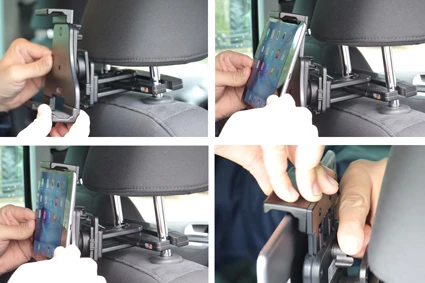
رقم الخطوة 2
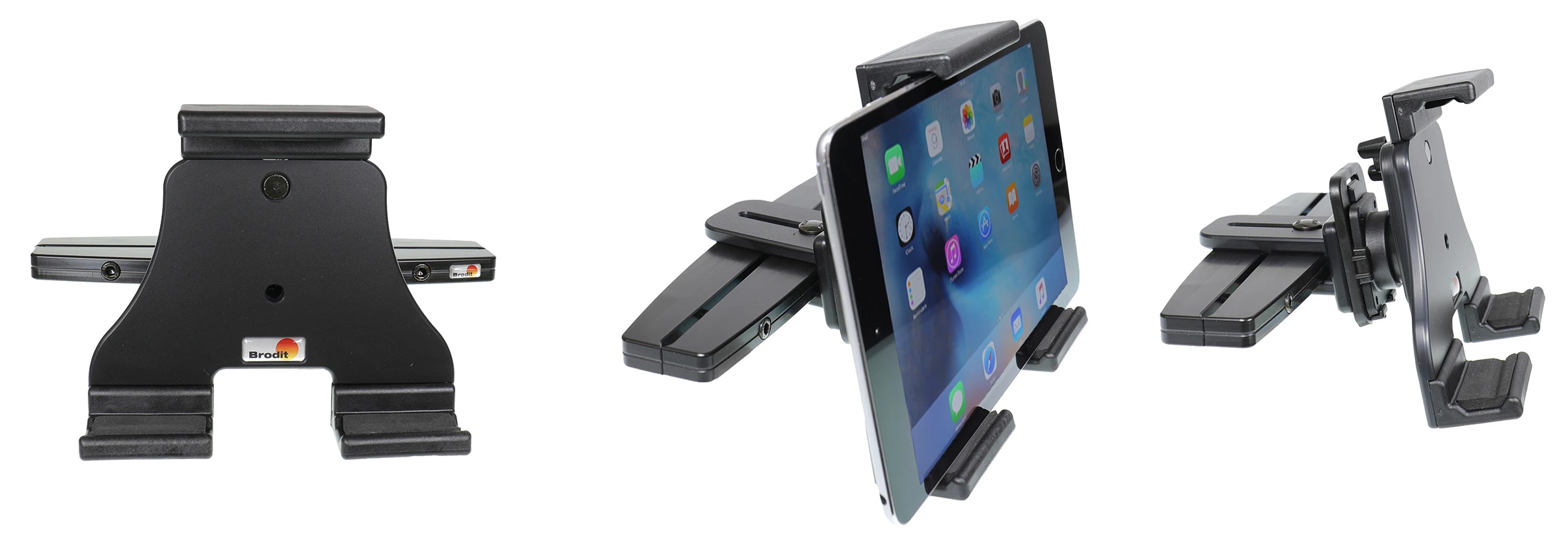
Attach holder: Place the holder above the MoveClip and press/slide it straight downwards so it snaps into place. Place device in holder: Place the upper part of the device under the upper part of the holder. Press upward so the upper part of the holder slides upwards. Press the lower part of the device forward so the device is placed straight in the holder. Release the pressure so the device is held straight in place. Press downwards on top of the holder, in the same time tighten the wingnut on the back of the holder. IMPORTANT: It is very important to press downward HARD on top of the holder and to tighten the wingnut FIRMLY so the device is properly held in place in the holder.
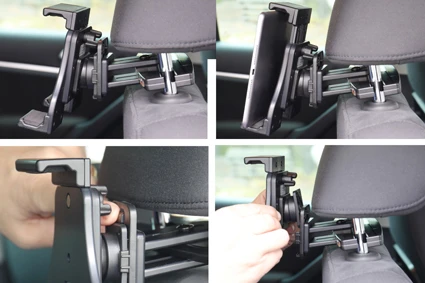
رقم الخطوة 3
Remove device from holder: Loosen the wingnut on back of the holder. Press the device upward so the the upper part of the holder slides upward. Lift the device downward out of the holder. Remove holder from MoveClip: Press the latch on the upper part of the MoveClip forward. In the same time push/slide the holder upward and out of the MoveClip.
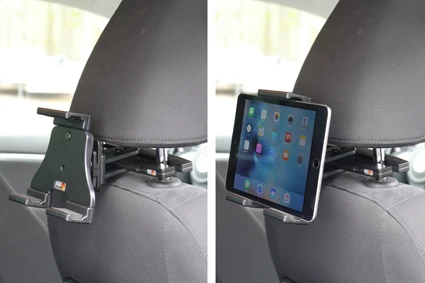
رقم الخطوة 4
The headrest mount and holder in place.

John Doe
Exceptional sound quality and comfort
Lorem ipsum dolor sit amet, consectetur adipiscing elit. Vestibulum at lacus congue, suscipit elit nec, tincidunt orci. Phasellus egestas nisi vitae lectus imperdiet venenatis. Suspendisse vulputate quam diam, et consectetur augue condimentum in.

Jane Smith
Great headphones, battery could be better
Lorem ipsum dolor sit amet, consectetur adipiscing elit. Vestibulum at lacus congue, suscipit elit nec, tincidunt orci. Phasellus egestas nisi vitae lectus imperdiet venenatis.

Michael Johnson
Impressive noise cancellation
Lorem ipsum dolor sit amet, consectetur adipiscing elit. Vestibulum at lacus congue, suscipit elit nec, tincidunt orci. Phasellus egestas nisi vitae lectus imperdiet venenatis. Suspendisse vulputate quam diam.