تفاصيل المنتج
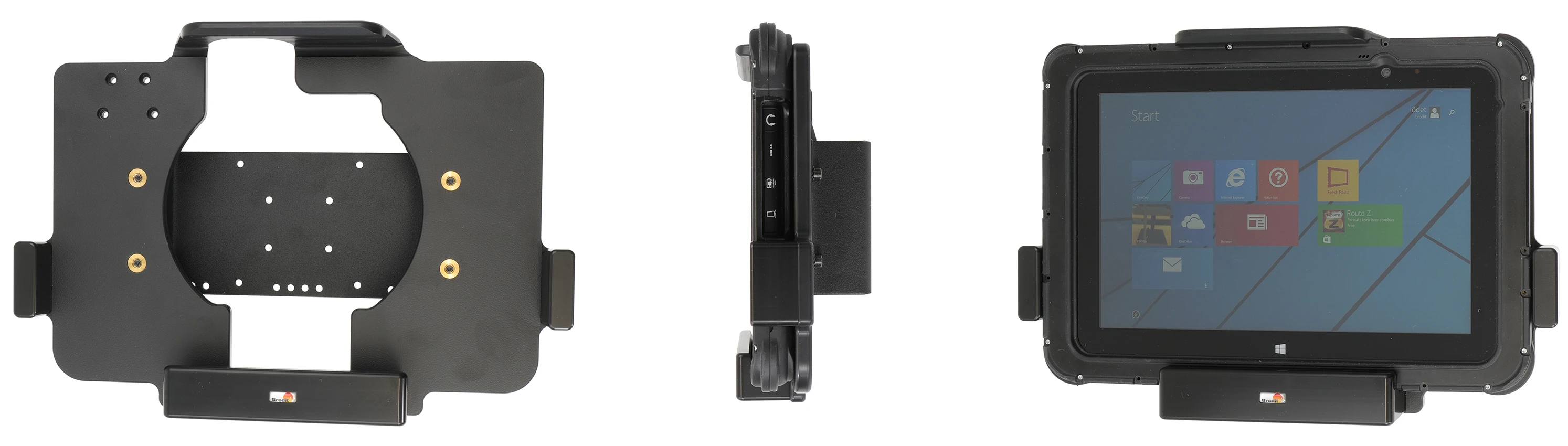
Passive holder
9 شاهد الناس هذا العنصر خلال الأسبوع الماضي
الكمية:
The Zebra ET5x series Module Upgrade Cradles from Brodit are designed to withstand frequent wear and tear in professional every day use, providing a more productive working day and better working environment with your device within sight and reach. Safe, efficient and convenient!
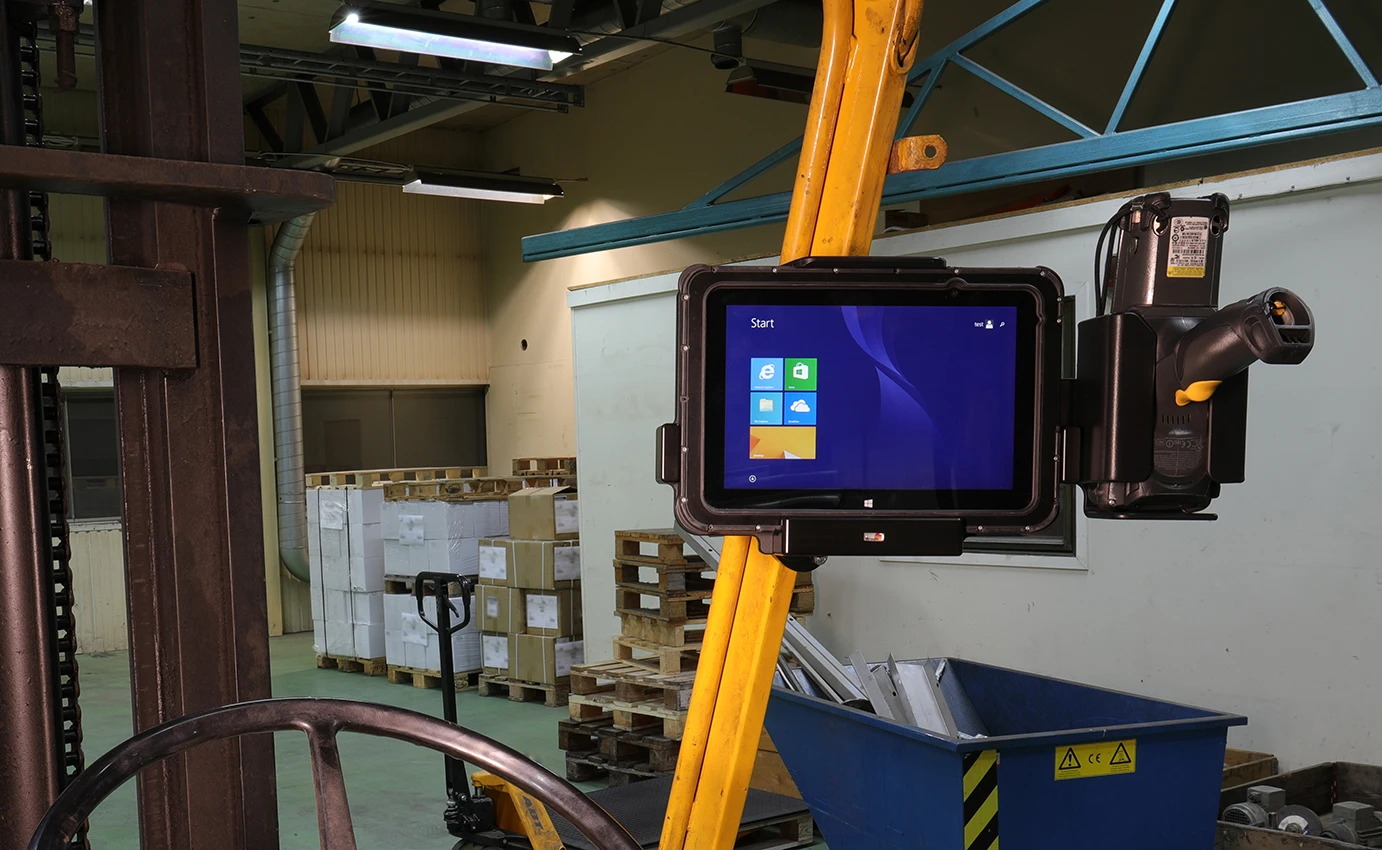
This cradle is the perfect choice when you want to have your device installed in place and easy accessible. Allows hot-swap battery swap of extended batteries.
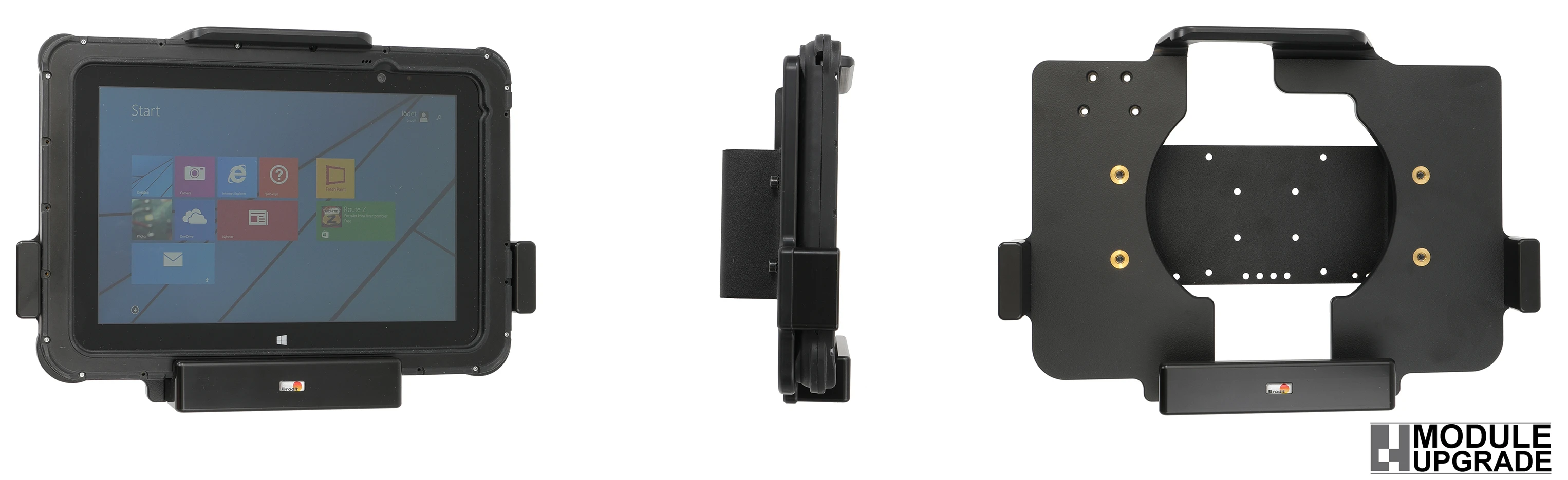
The cradle is customized with a perfect fit for devices in its rugged frame with 30-pin connector, with and without any expansion back module/handstrap (not for integrated scanner). It has a robust design and has been tested for vibrations for use in a normal forklift environment. You have full access to the camera,scanner, buttons and ports while docked. Easy one-hand insertion and removal.
Attach the cradle onto any flat surface or Pedestal Mount in a forklift, truck, distribution vehicle, warehouse, table top etc. Backplate made of steel with 4 mm AMPS and 4 mm VESA 75 standard holes. Made of high grade ABS-, Acetal-plastic and metal. Color: Black. Made in Sweden.
This is a Module Upgrade Cradle, this means that you can upgrade or replace features by using some of the following modules:
Item no. 216228 Spring stud lock
Item no. 216229 Key lock
Item no. 216230 Charging module
Item no. 216251 Extension plate
Cable managment options. Cable for power supply is NOT included with the cradle, add one of the followin products in order to get charging for your device:
Item no. 941022 Cable with cig-plug, straight cable.12V out, 2,5A. 12/24V in.
Item no. 941021 Cable for fixed installation. 12V out, 2,5A. 12/24V in.
Item no. 216240 Alfatronix Converter 12V out, 48V in, with 2 m cable.
Item no. 216249 12V Power supply, with 220V connector, worldwide adapters included.
Choose installation placement with care, devices must not be placed in positions where they may block the view or important controls. The cradle should only be attached onto a suitable place. Installations always take place at the customer's own discretion and responsibility.
دليل تركيب المنتج
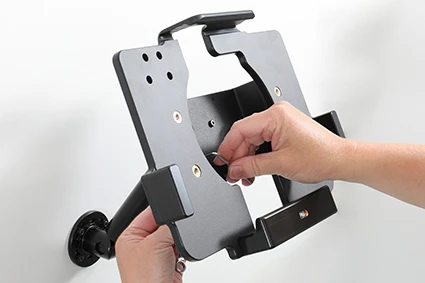
رقم الخطوة 1
Place the holder onto the desired position and screw into place with the enclosed screws.
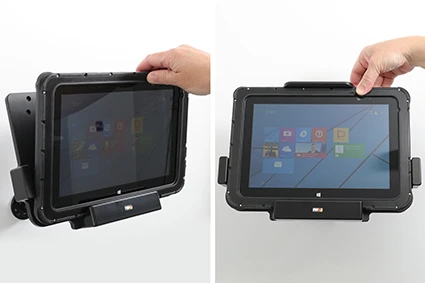
رقم الخطوة 2
To place the device in the holder: Place the lower part of the device in the holder, then flip/press the upper part forward so it snaps into place in the holder.
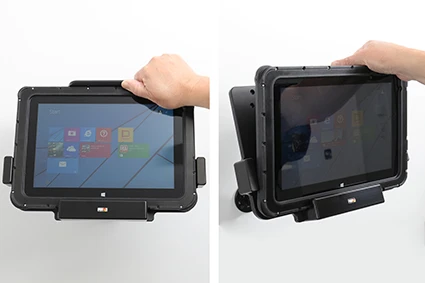
رقم الخطوة 3
To remove the device from the holder: Press upwards on the upper part of the holder, in the same time pull the upper part of the device out from the holder and then lift the device up and out from the holder.
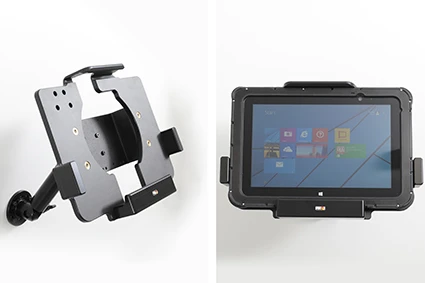
رقم الخطوة 4
The holder is in place.

John Doe
Exceptional sound quality and comfort
Lorem ipsum dolor sit amet, consectetur adipiscing elit. Vestibulum at lacus congue, suscipit elit nec, tincidunt orci. Phasellus egestas nisi vitae lectus imperdiet venenatis. Suspendisse vulputate quam diam, et consectetur augue condimentum in.

Jane Smith
Great headphones, battery could be better
Lorem ipsum dolor sit amet, consectetur adipiscing elit. Vestibulum at lacus congue, suscipit elit nec, tincidunt orci. Phasellus egestas nisi vitae lectus imperdiet venenatis.

Michael Johnson
Impressive noise cancellation
Lorem ipsum dolor sit amet, consectetur adipiscing elit. Vestibulum at lacus congue, suscipit elit nec, tincidunt orci. Phasellus egestas nisi vitae lectus imperdiet venenatis. Suspendisse vulputate quam diam.