تفاصيل المنتج
MultiStand
66 شاهد الناس هذا العنصر خلال الأسبوع الماضي
الكمية:
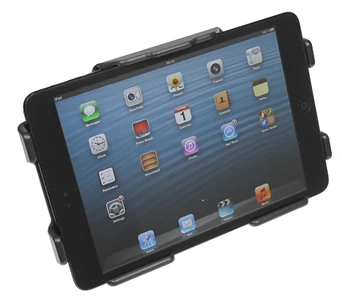
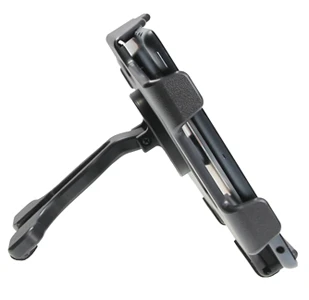
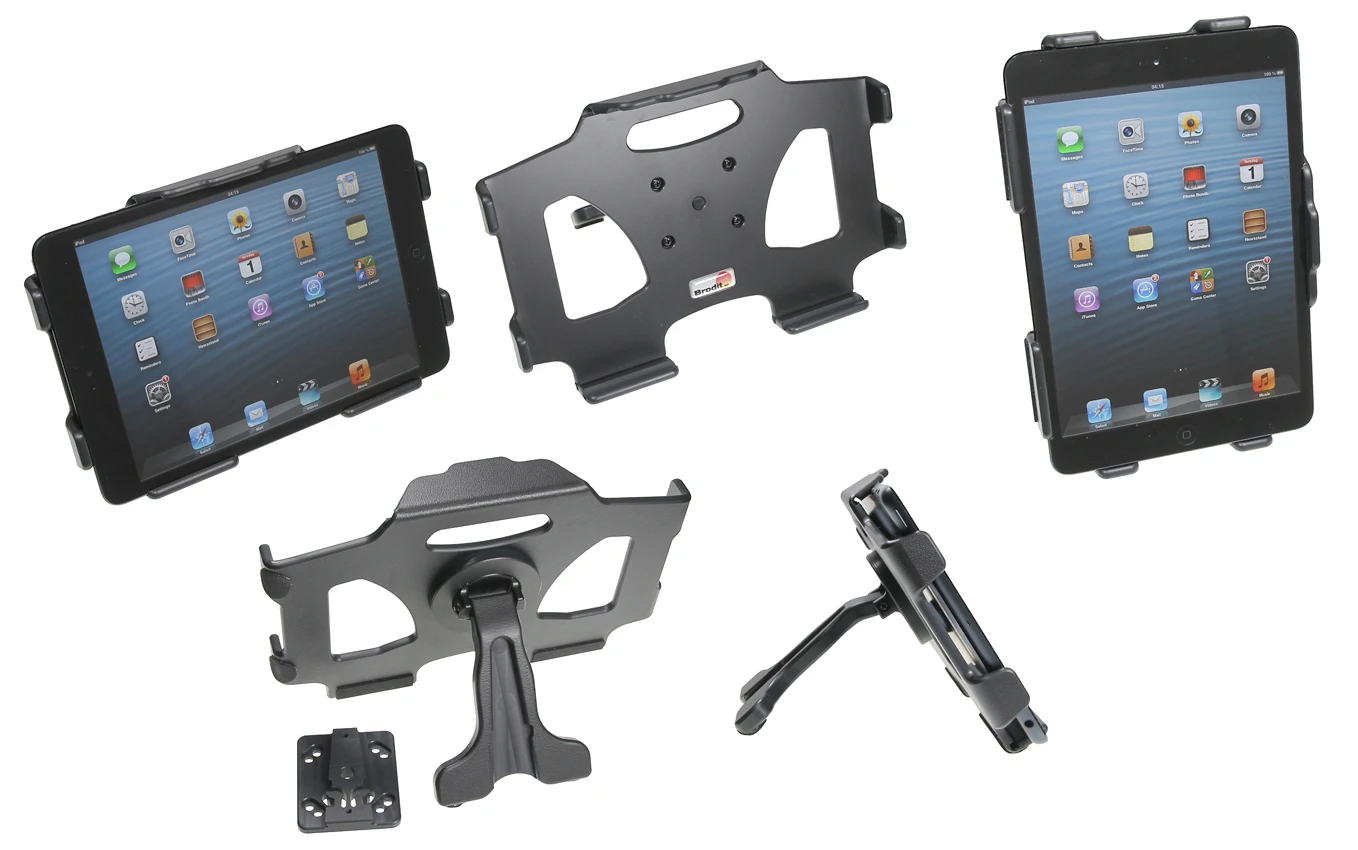
A versatile multi stand which is perfect for you who use your iPad Mini in several places. You easily place the iPad Mini in the stand, it is then firmly attached wherever you go! Convenient to use anywhere at home, in the car or in the office.
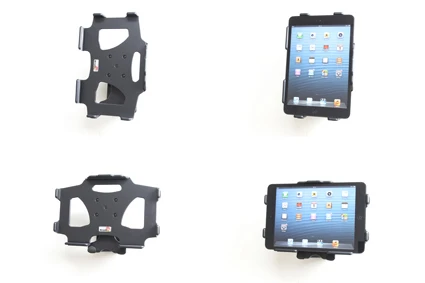
When using the table stand it is easier to carry your iPad Mini around with you. It diminishes the risk to drop it, since the stand is easier to grip than the device itself. You can use the stand in several angles, just adjust the position depending on area of use. Also adapted for use in the lap. Made of black ABS plastic.
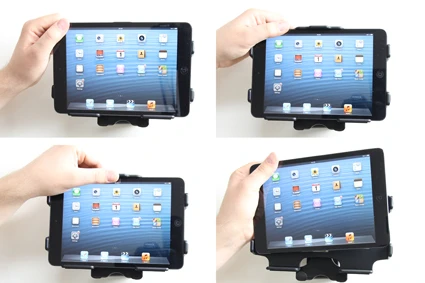
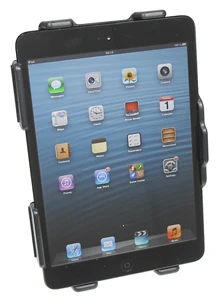
You can connect e.g. a charging cable to the iPad Mini when it is in place in the stand, all buttons and connectors are easy accessable. You can easily switch between landscape and portrait mode.
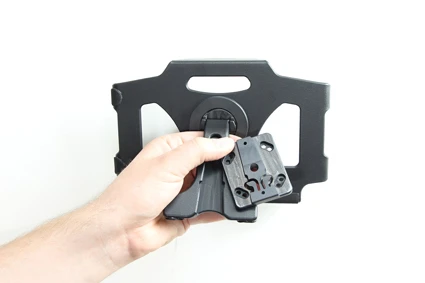
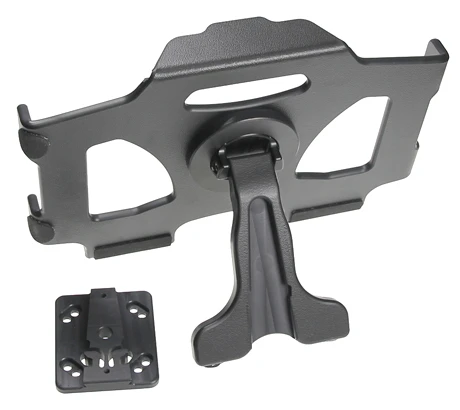
You can attach the stand onto a wall, or any other place, by using the enclosed mounting adapter. If you want to be able to attach the stand onto more than one place, you can buy several mounting adapters (see item no 215461).
Tablets should not be installed onto a car's dashboard if blocking the view or key controls. ProClip is designed for use with smaller devices like smartphones. If you want to place a tablet onto a dashboard, each combination of tablet-car must be examined in detail by yourself in order to determine if such an installation is possible in the specific case. Brodit will not give any recommendations for such installations. An installation of a tablet onto a vehicle's dashboard is always done on the customer's own responsibility.
دليل تركيب المنتج
رقم الخطوة 1
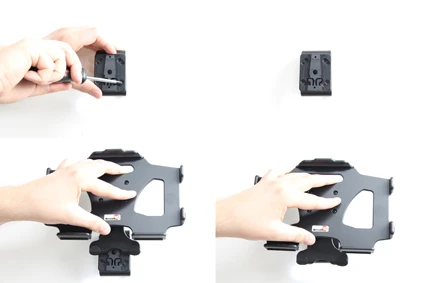
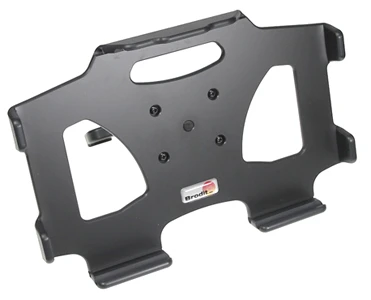
The multi stand. To install the multi stand: Press the mounting adapter on the back side of the holder downward, so it slides out from the groove.
رقم الخطوة 2
Place the mounting adapter into desired position and screw it into place with the enclosed screws. Place the holder above the mounting adapter and press it downward so the mounting adapter fits into the groove. Press until you hear/feel it snaps into place. To remove the holder: Pull the holder straight upward, away from the mounting adapter.
رقم الخطوة 3
To place the unit in the holder: Place the lower part of the unit in the holder, then flip/press the upper part forward so it snaps into place in the holder. To remove the unit from the holder: Press upwards on the upper part of the holder, in the same time pull the upper part of the unit out from the holder and then lift it up and out from the holder.
رقم الخطوة 4
The holder is in place in upright, horizontal position.

John Doe
Exceptional sound quality and comfort
Lorem ipsum dolor sit amet, consectetur adipiscing elit. Vestibulum at lacus congue, suscipit elit nec, tincidunt orci. Phasellus egestas nisi vitae lectus imperdiet venenatis. Suspendisse vulputate quam diam, et consectetur augue condimentum in.

Jane Smith
Great headphones, battery could be better
Lorem ipsum dolor sit amet, consectetur adipiscing elit. Vestibulum at lacus congue, suscipit elit nec, tincidunt orci. Phasellus egestas nisi vitae lectus imperdiet venenatis.

Michael Johnson
Impressive noise cancellation
Lorem ipsum dolor sit amet, consectetur adipiscing elit. Vestibulum at lacus congue, suscipit elit nec, tincidunt orci. Phasellus egestas nisi vitae lectus imperdiet venenatis. Suspendisse vulputate quam diam.