تفاصيل المنتج
Mount
7 شاهد الناس هذا العنصر خلال الأسبوع الماضي
الكمية:
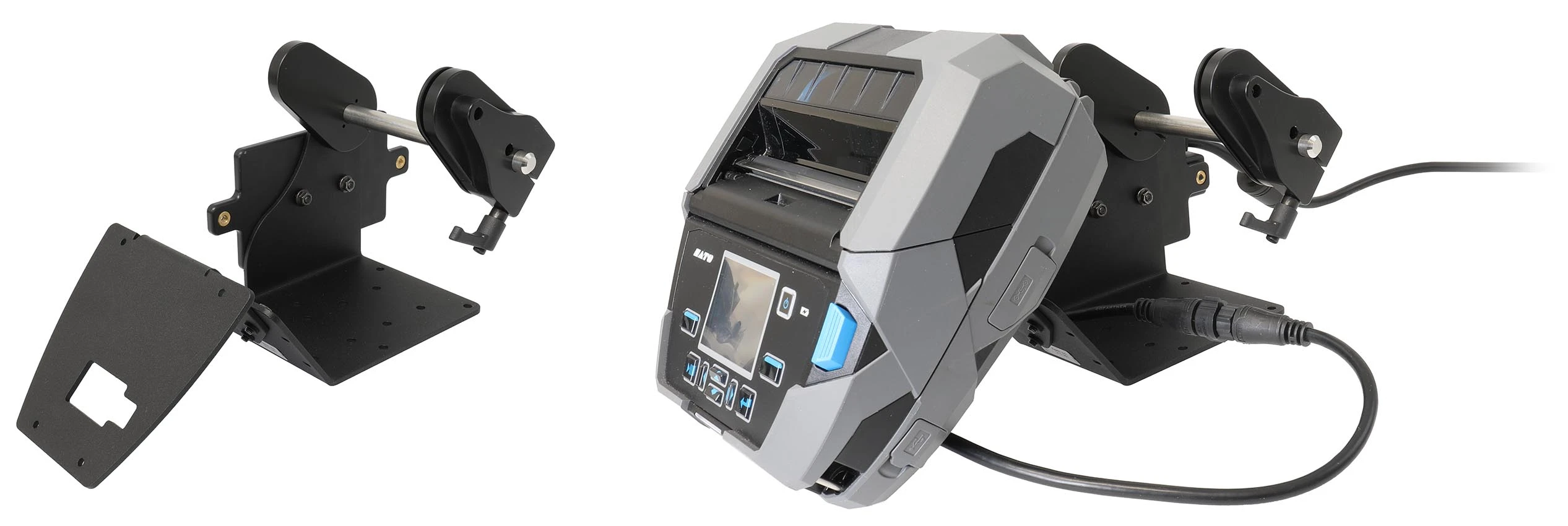
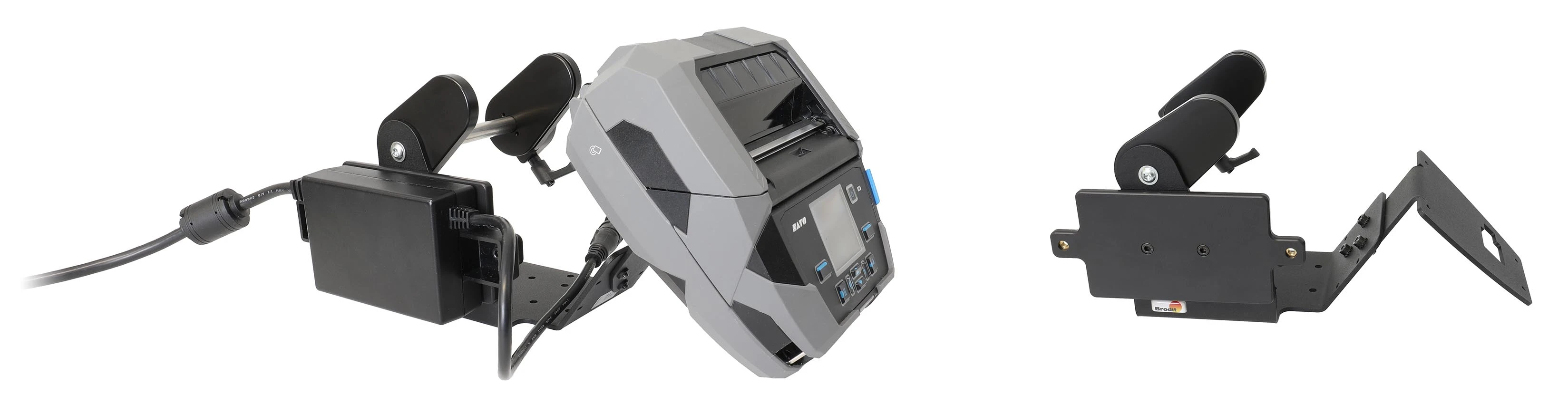
Simplify and optimize the installation of your printer with Brodit’s table stand printer mount. Designed for both functionality and convenience, Brodit mounting solutions help create a more efficient and organized work environment. The mount accommodates 127 mm large rolls of labels/media. Designed for attachment of power supply box, providing for a secure and stable installation.
With VESA75 and AMPS standard hole patterns for easy attachment options. Manufactured from metal, very strong and sturdy construction. Color: black. Made in Sweden.
دليل تركيب المنتج
رقم الخطوة 1
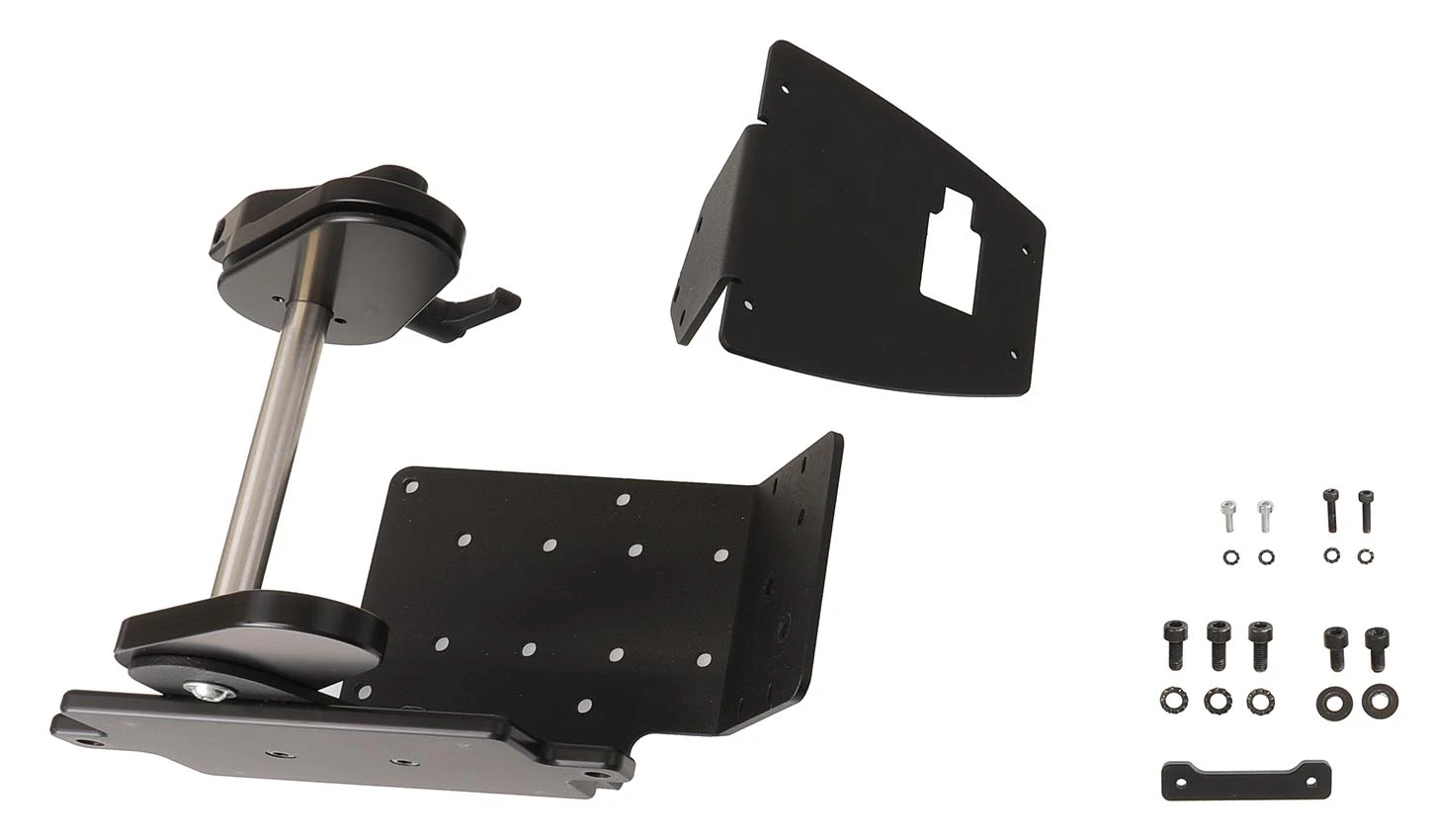
Attach the face plate onto the mount with the included screws. Place the printer on the table with backside facing upward. Thread the cable through the hole in the face plate and adjust the mount position so the four screwholes match. Place the distance piece into the space between the mount and the printer.
رقم الخطوة 2
Attach the mount onto the printer with the included screws. NOTE: It is important to position the screws correctly as shown in the picture: - The long screws must be screwed near the edge of the mount/printer, through the distance piece. - The short screws must be screwed into the center of the mount/printer.
رقم الخطوة 3
Hold the power supply box by the side of the mount so the holes match. Attach it into place with the included screws. Connect the cable to the printer.

John Doe
Exceptional sound quality and comfort
Lorem ipsum dolor sit amet, consectetur adipiscing elit. Vestibulum at lacus congue, suscipit elit nec, tincidunt orci. Phasellus egestas nisi vitae lectus imperdiet venenatis. Suspendisse vulputate quam diam, et consectetur augue condimentum in.

Jane Smith
Great headphones, battery could be better
Lorem ipsum dolor sit amet, consectetur adipiscing elit. Vestibulum at lacus congue, suscipit elit nec, tincidunt orci. Phasellus egestas nisi vitae lectus imperdiet venenatis.

Michael Johnson
Impressive noise cancellation
Lorem ipsum dolor sit amet, consectetur adipiscing elit. Vestibulum at lacus congue, suscipit elit nec, tincidunt orci. Phasellus egestas nisi vitae lectus imperdiet venenatis. Suspendisse vulputate quam diam.