تفاصيل المنتج
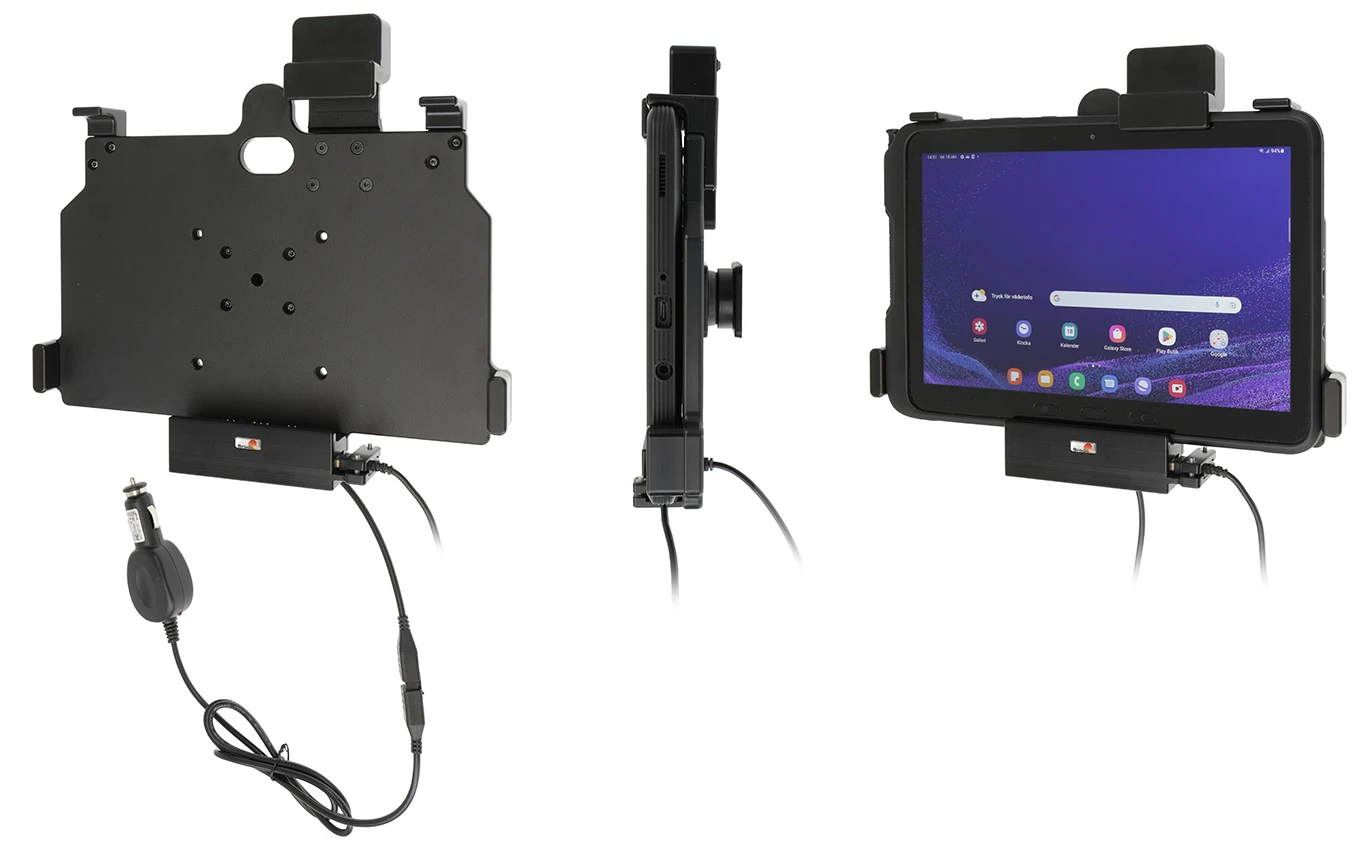
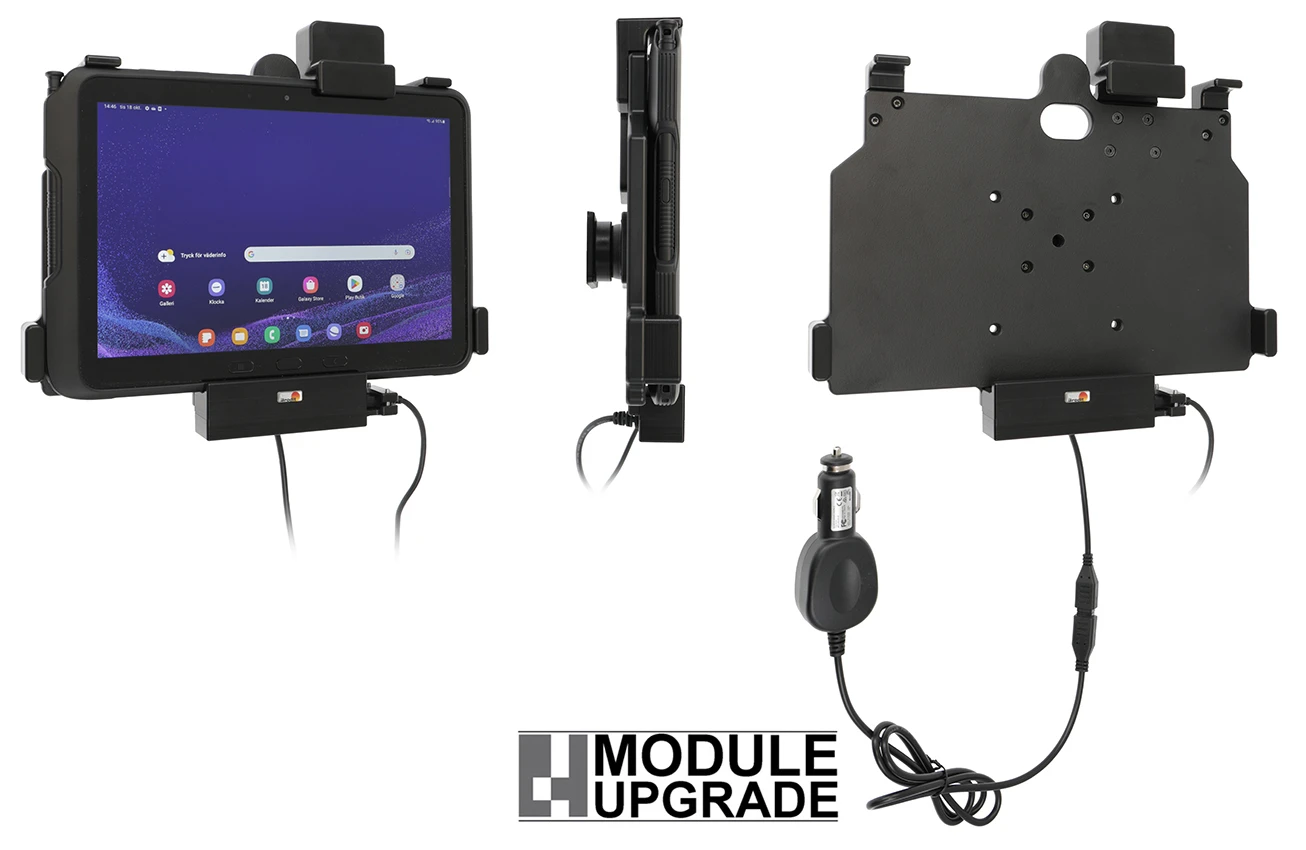
Holder with spring-lock
6 شاهد الناس هذا العنصر خلال الأسبوع الماضي
الكمية:
This holder is to be used when you want to have your Tab Active 4 Pro extra securely in place and still have it easy accessable.
The holder is equipped with a spring stud locking device. The holder is mounted onto a tilt swivel. This mean that you can adjust the angle in order to avoid light reflection on the screen. You can easily switch between portrait and landscape mode by turning the holder into desired position. The active holder guarantees a newly charged battery at all times. 3 A charging. Charging via pogo plug. The holder is equipped with a USB-Host port so you can connect an accessory.
Easy-switching system:
The easy-switching system enables you to upgrade the holder only, and keep the installed cables. It saves you a lot of time! When upgrading to a new device, you do not longer need to make a full installation. Same goes for maintenance in case of warranty or damage. You simply disconnect the holder from the charging cable via the Molex 6-pin quick connector, and then connect the new holder. The switch is done in a few seconds.
This is a Module Upgrade Cradle, this means that you can upgrade or replace features by using some of the following modules:
Item no. 216328 Key lock
Choose installation placement with care, devices must not be placed in positions where they may block the view or important controls. The cradle should only be attached onto a suitable place. Installations always take place at the customer's own discretion and responsibility.
دليل تركيب المنتج
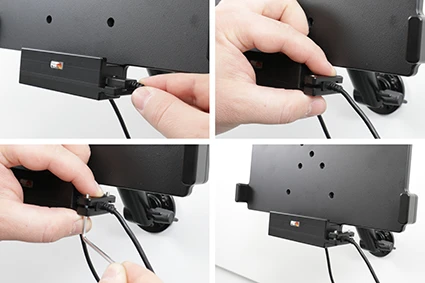
رقم الخطوة 1
Connect device via USB Host. Press the cable into the socket, place the cable socket over the pre-drilled holes, screw the cable socket with the enclosed screws.
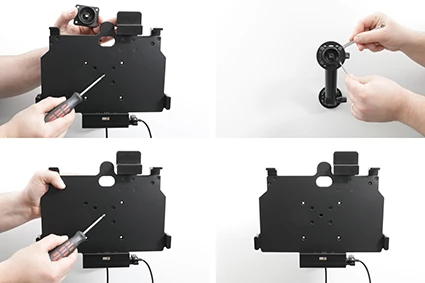
رقم الخطوة 2
Loosen the screw in the center of the holder so you can remove the tilt swivel attaching plate on the back. Place the attaching plate onto the desired position. Screw the attaching plate into place with the enclosed screws. Place the holder over the attaching plate so the screw fits in the hole in the tilt swivel. Tighten the screw until the holder is firmly in place, but still can be adjusted.
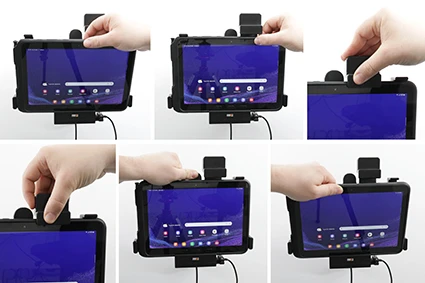
رقم الخطوة 3
To place the device in the holder: Press the spring stud locking upward. Place the lower part of the device in the holder, then flip/press the upper part forwards so it snaps into place in the holder. Press the spring stud locking downward. To remove the device from the holder: Press the spring stud locking upward. Press upwards on the upper part of the holder, in the same time pull the upper part of the device out from the holder and then lift the device up and out from the holder.
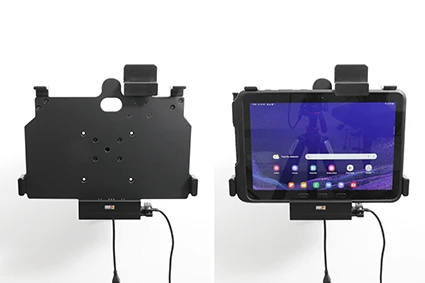
رقم الخطوة 4
The holder is in place.

John Doe
Exceptional sound quality and comfort
Lorem ipsum dolor sit amet, consectetur adipiscing elit. Vestibulum at lacus congue, suscipit elit nec, tincidunt orci. Phasellus egestas nisi vitae lectus imperdiet venenatis. Suspendisse vulputate quam diam, et consectetur augue condimentum in.

Jane Smith
Great headphones, battery could be better
Lorem ipsum dolor sit amet, consectetur adipiscing elit. Vestibulum at lacus congue, suscipit elit nec, tincidunt orci. Phasellus egestas nisi vitae lectus imperdiet venenatis.

Michael Johnson
Impressive noise cancellation
Lorem ipsum dolor sit amet, consectetur adipiscing elit. Vestibulum at lacus congue, suscipit elit nec, tincidunt orci. Phasellus egestas nisi vitae lectus imperdiet venenatis. Suspendisse vulputate quam diam.