تفاصيل المنتج
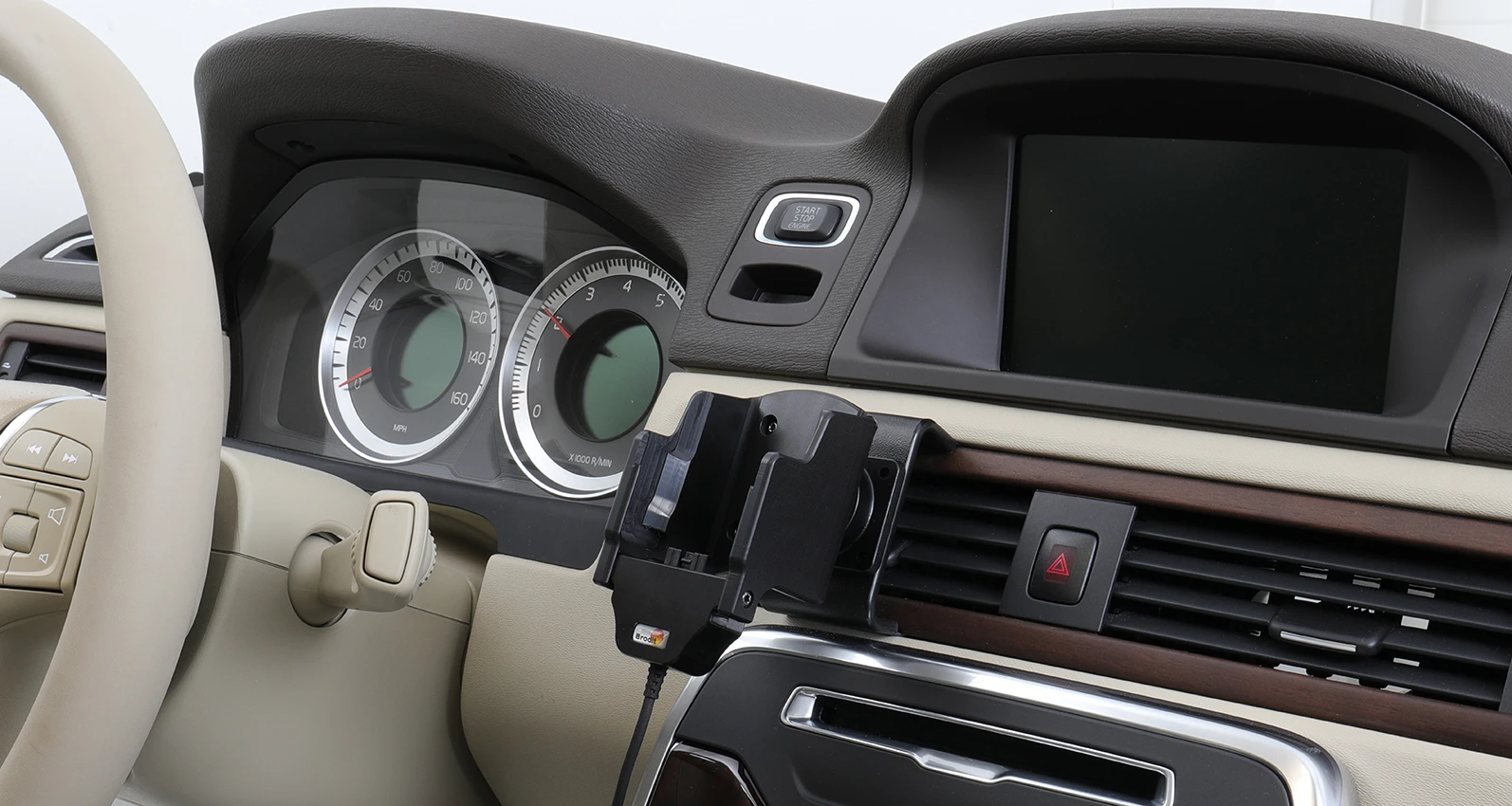
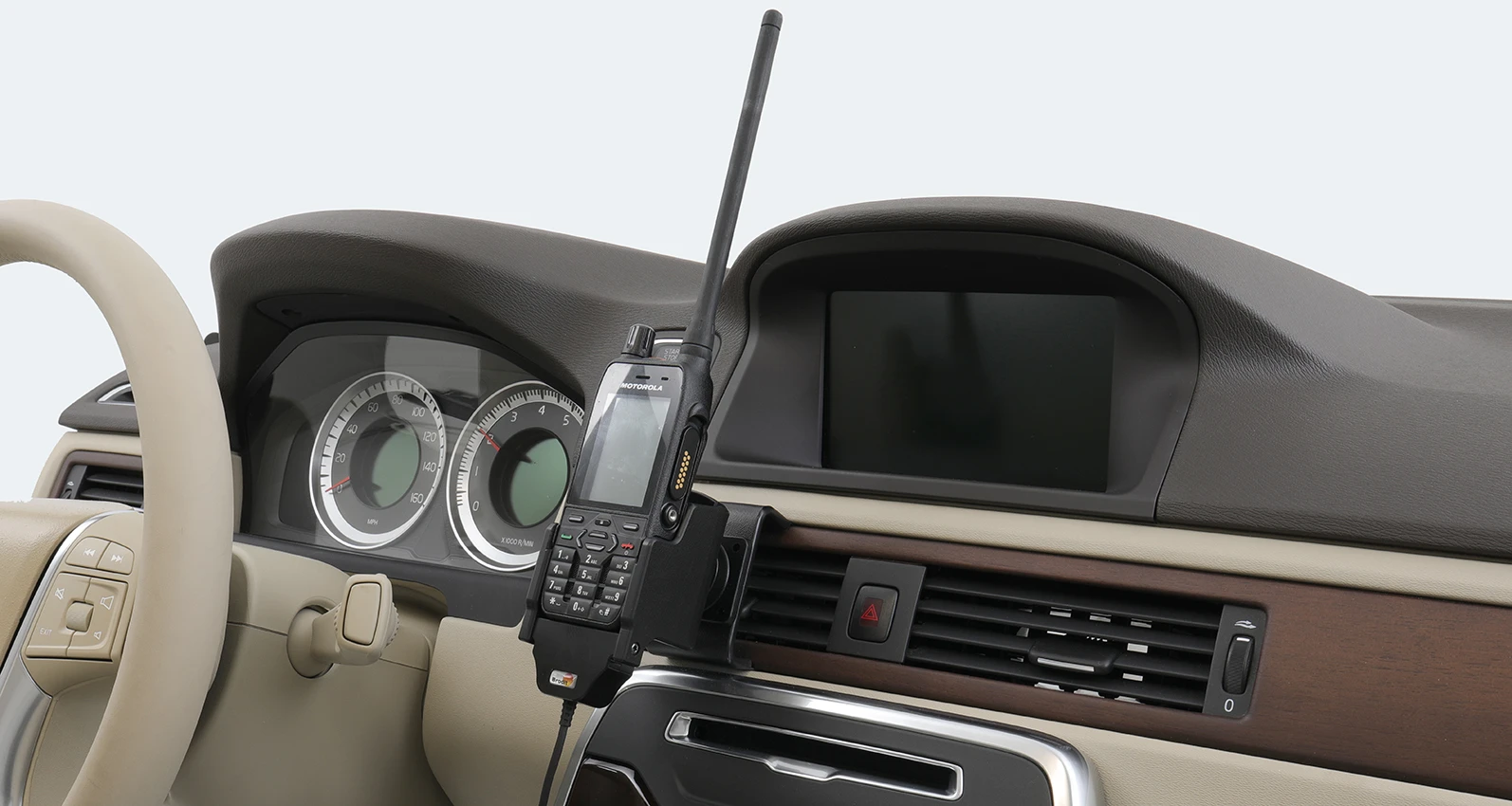
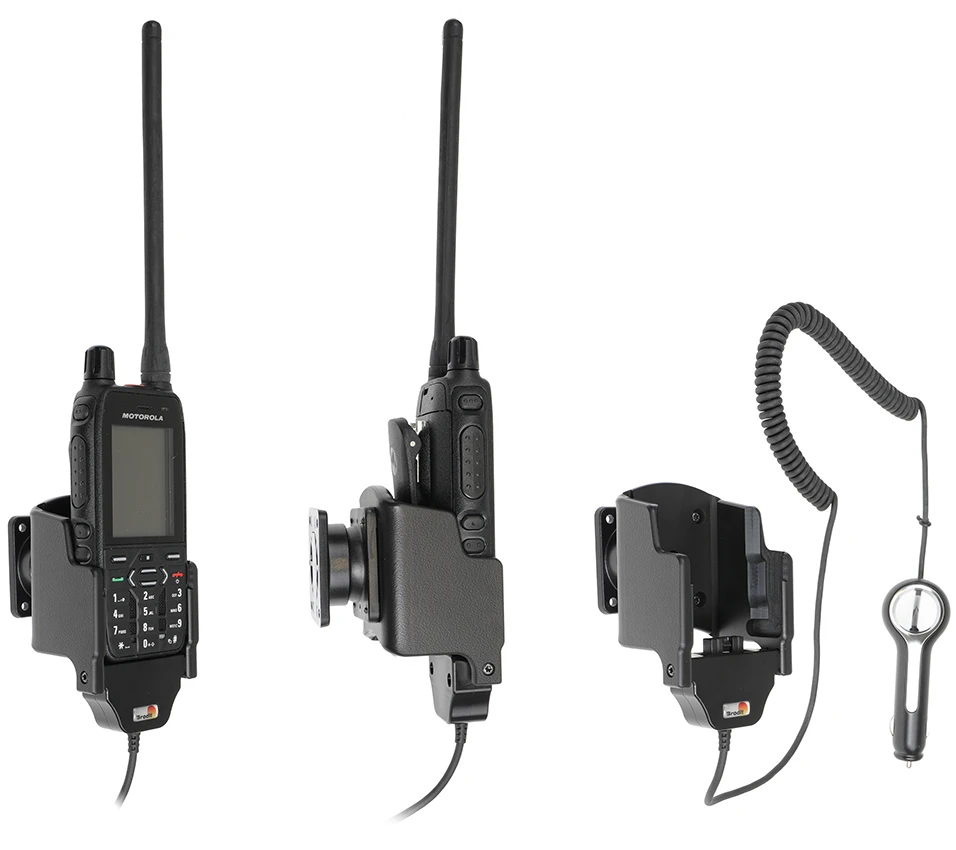
Holder for Cable Attachment
7 شاهد الناس هذا العنصر خلال الأسبوع الماضي
الكمية:
Holder with cable plug attachment. The choice for you who often connect a cable to your radio. The cable is easy to attach to the holder, and then the cable connects to the radio automatically when you put your radio in the holder so you do not have to connect it manually each time. (Cable not included).
The holder is attached onto a tilt swivel, so it can be adjusted in order to avoid light reflection on the screen. Attach onto a ProClip Mounting Platform.
دليل تركيب المنتج
رقم الخطوة 1
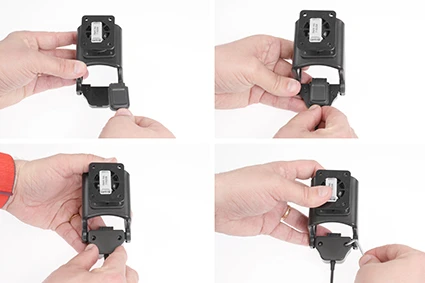
Installation of cable: Place the connector into the cable housing, make sure the cable is in the correct position. Place the lid over the connector. Press the parts together and flip the holder so the backside is upwards. Screw the lid into place. The cable is in place.
رقم الخطوة 2
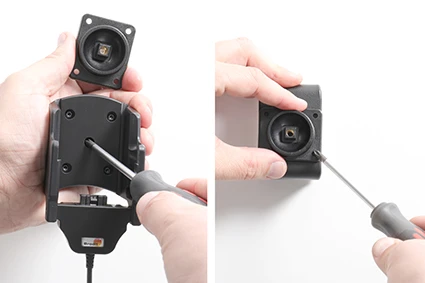
Loosen the screw in the center of the holder so you can remove the tilt swivel attaching plate on the back. Place the attaching plate on desired position. Screw the attaching plate into place with the enclosed screws.
رقم الخطوة 3
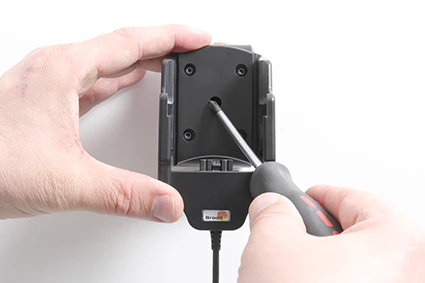
Place the holder over the attaching plate so the tilt swivel fits. Screw the holder onto the attaching plate.
رقم الخطوة 4
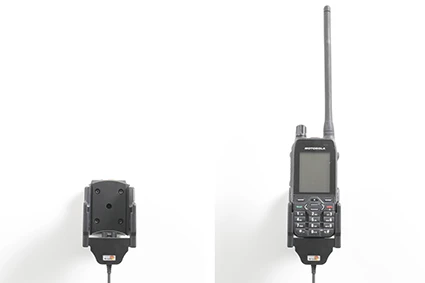
The holder is in place.

John Doe
Exceptional sound quality and comfort
Lorem ipsum dolor sit amet, consectetur adipiscing elit. Vestibulum at lacus congue, suscipit elit nec, tincidunt orci. Phasellus egestas nisi vitae lectus imperdiet venenatis. Suspendisse vulputate quam diam, et consectetur augue condimentum in.

Jane Smith
Great headphones, battery could be better
Lorem ipsum dolor sit amet, consectetur adipiscing elit. Vestibulum at lacus congue, suscipit elit nec, tincidunt orci. Phasellus egestas nisi vitae lectus imperdiet venenatis.

Michael Johnson
Impressive noise cancellation
Lorem ipsum dolor sit amet, consectetur adipiscing elit. Vestibulum at lacus congue, suscipit elit nec, tincidunt orci. Phasellus egestas nisi vitae lectus imperdiet venenatis. Suspendisse vulputate quam diam.