تفاصيل المنتج
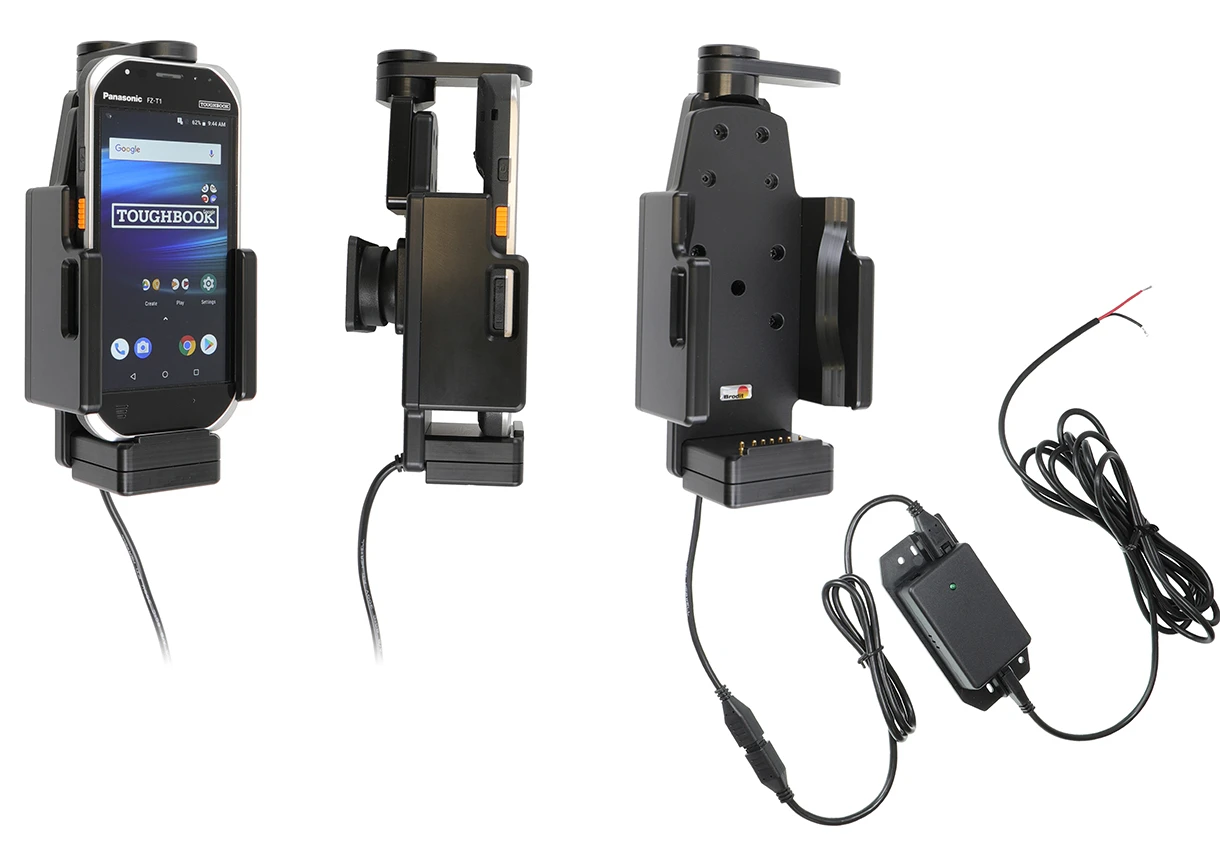
Active holder for fixed installation
6 شاهد الناس هذا العنصر خلال الأسبوع الماضي
الكمية:
The choice for you who want to have you PDA firmly in place, properly attached and still within easy reach. The holder has a strong, robust design to withstand rough handling in professional use. The swiveling top part keeps your device extra securely in place in the holder, it "locks" the device in the holder so that it can not shake the least. It is easy to place the PDA in the holder, and to take it with you when leaving the vehicle. The holder is equipped with a tilt swivel so you can easily adjust the angle for good viewing. Attach onto a ProClip Mounting Platform or a Pedestal Mount.
An active holder which is to be connected inside the dashboard, this gives a discreet, neat installation without cables hanging over the interior! You can choose to use the holder as an active holder for charging of your device only, or to connect an adapter to the Molex connector for additional features. Then you can use the holder also for power supply of a GPS receiver or other own solutions (can not be used for data communication or audio connection). 12/24 Volt. The product is E-approved. Connect the power cable with a 2 A fuse. 2 A charger. Professional installation recommended.
Easy-switching system:
The easy-switching system enables you to upgrade the holder only, and keep the installed cables. It saves you a lot of time! When upgrading to a new device, you do not longer need to make a full installation. Same goes for maintenance in case of warranty or damage. You simply disconnect the holder from the charging cable via the Molex 6-pin quick connector, and then connect the new holder. The switch is done in a few seconds.
دليل تركيب المنتج
رقم الخطوة 1
Connect the White wire to a Negative Ground connection of the vehicle or the vehicle chassis. 2. Connect the Red wire to a 12/24 Volt power supply in the vehicle that is controlled by the ignition switch of the vehicle. Please read all of the instructions and look at the pictures before attaching the holder.
رقم الخطوة 2
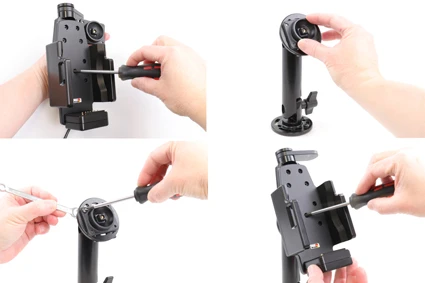
Loosen the screw in the center of the holder so you can remove the tilt swivel attaching plate on the back. Place the attaching plate onto the desired position. Screw the attaching plate into place with the enclosed screws. Place the holder over the attaching plate so the screw fits in the hole in the tilt swivel. Tighten the screw until the holder is firmly in place, but still can be adjusted.
رقم الخطوة 3
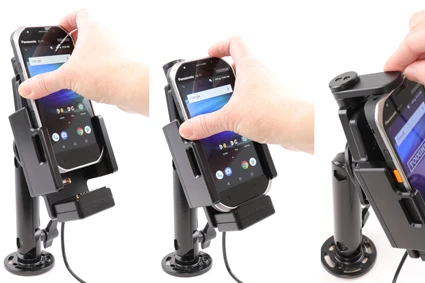
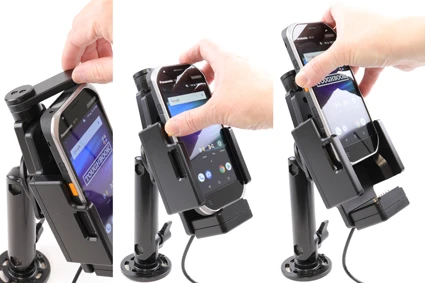
To place the device in the holder: Place the device over the holder and slide it straight downward into the holder. Turn the swiveling top support sideways in order to "lock" the device in place in the holder.
رقم الخطوة 4
To remove the device from the holder: Turn the swiveling top support sideways in order to set the device free. Lift the device straight upward, out from the holder.
رقم الخطوة 5
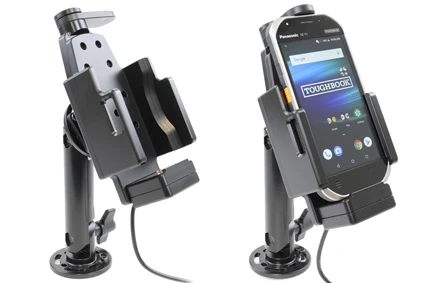
The holder is in place.

John Doe
Exceptional sound quality and comfort
Lorem ipsum dolor sit amet, consectetur adipiscing elit. Vestibulum at lacus congue, suscipit elit nec, tincidunt orci. Phasellus egestas nisi vitae lectus imperdiet venenatis. Suspendisse vulputate quam diam, et consectetur augue condimentum in.

Jane Smith
Great headphones, battery could be better
Lorem ipsum dolor sit amet, consectetur adipiscing elit. Vestibulum at lacus congue, suscipit elit nec, tincidunt orci. Phasellus egestas nisi vitae lectus imperdiet venenatis.

Michael Johnson
Impressive noise cancellation
Lorem ipsum dolor sit amet, consectetur adipiscing elit. Vestibulum at lacus congue, suscipit elit nec, tincidunt orci. Phasellus egestas nisi vitae lectus imperdiet venenatis. Suspendisse vulputate quam diam.