تفاصيل المنتج
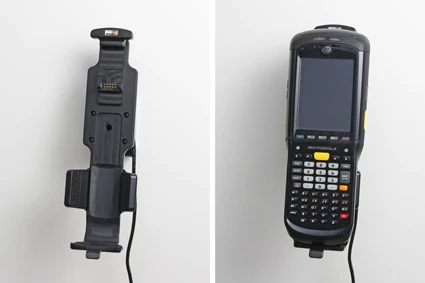
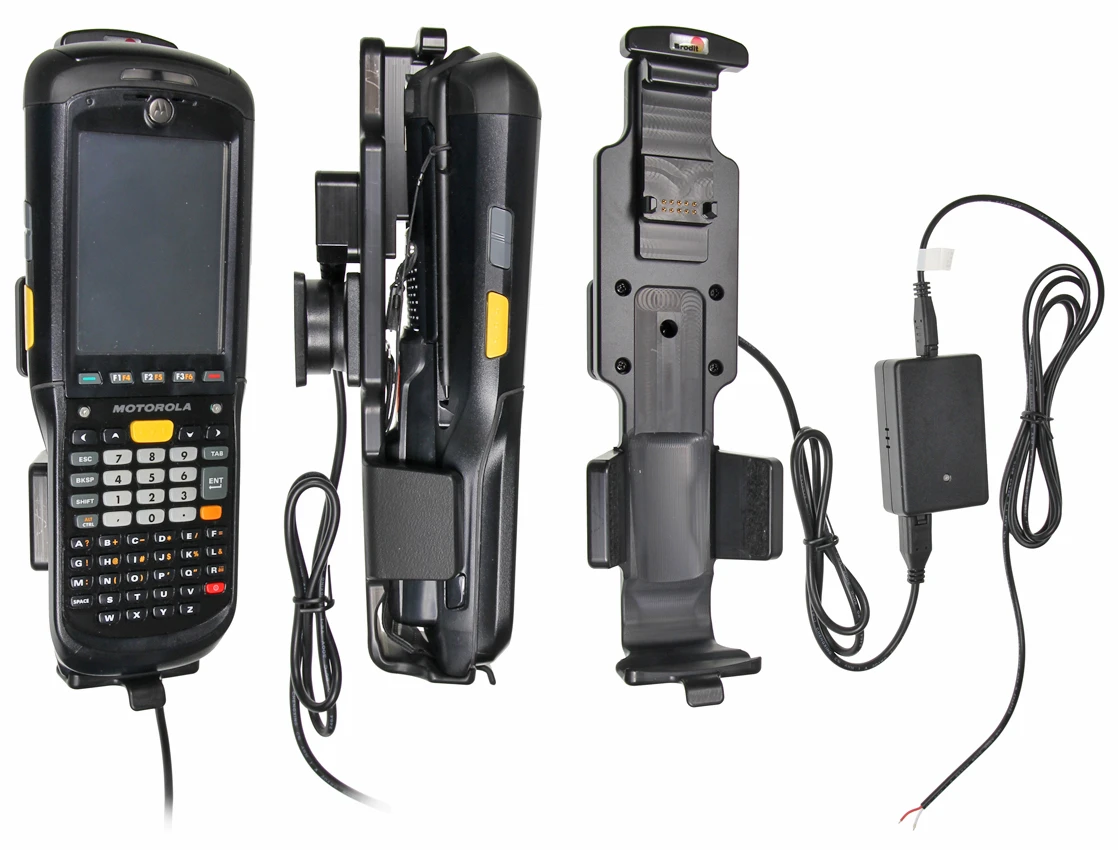
Active holder for fixed installation
7 شاهد الناس هذا العنصر خلال الأسبوع الماضي
الكمية:
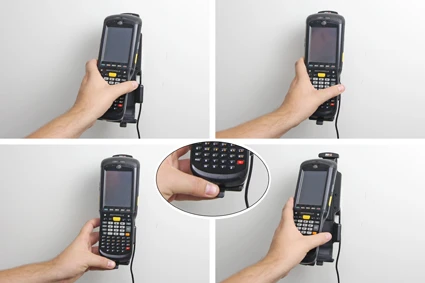
Keep your device in an active holder while on the road, and you will always have a freshly charged battery! The active holder is to be connected inside the dashboard, this gives a discreet, neat installation without cables hanging over the interior! When you put the device in the holder, it is automatically connected to the charging unit.
You can choose to use the holder as an active holder for charging of your device only, or to connect an adapter to the Molex connector for additional features. Then you can use the holder also for power supply of a GPS receiver or other own solutions (can not be used for data communication or audio connection).
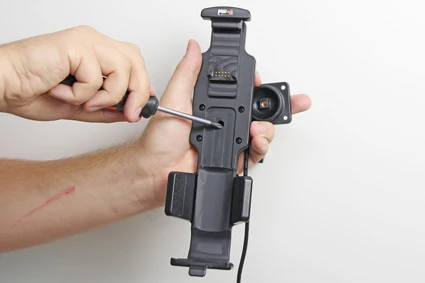
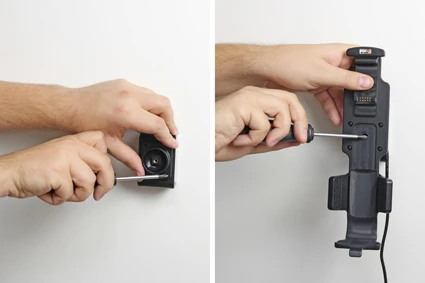
12/24 Volt. The product is E-approved. Connect the power cable with a 2 A fuse. 2 A charger. Professional installation recommended. The holder is attached onto a tilt swivel so you can easily adjust your device in order to avoid light reflection. Attach onto a ProClip Mounting Platform.
Charging specifications:
Input voltage: DC/10-30V
Charging voltage: DC/4.75-5.3V
Output current(Typ): 2.0A
Input & output protection: Input polarity reversal/Output over voltage/Output over current/Output short protection
LED charging indicator: Power input indicator(Green), Ovp/Ocp/Output short(Red)
Operating temperature: 0°C ~ +40°C
Storage temperature: -20°C ~ +80°C
RoHS compliant: ROHS
دليل تركيب المنتج
رقم الخطوة 1
Connect the White wire to a Negative Ground connection of the vehicle or the vehicle chassis. 2. Connect the Red wire to a 12/24 Volt power supply in the vehicle that is controlled by the ignition switch of the vehicle. Installation of the holder:1. Loosen the screw in the center of the holder so you can remove the tilt swivel attaching plate on the back. 2. Place the attaching plate onto the desired position. Screw the attaching plate into place. Place the holder over the attaching plate so the screw fits in the hole in the tilt swivel. Tighten the screw so the holder is firmly in place, but still can be adjusted. 3. To place the device in the holder: Place the upper part of the device in the holder, then flip/press the lower part forwards so it snaps into place in the holder. To remove the device from the holder: Press upwards on the upper part of the holder, in the same time pull the upper part of the device out from the holder and then lift the device up and out from the holder. 4. The holder is in place.

John Doe
Exceptional sound quality and comfort
Lorem ipsum dolor sit amet, consectetur adipiscing elit. Vestibulum at lacus congue, suscipit elit nec, tincidunt orci. Phasellus egestas nisi vitae lectus imperdiet venenatis. Suspendisse vulputate quam diam, et consectetur augue condimentum in.

Jane Smith
Great headphones, battery could be better
Lorem ipsum dolor sit amet, consectetur adipiscing elit. Vestibulum at lacus congue, suscipit elit nec, tincidunt orci. Phasellus egestas nisi vitae lectus imperdiet venenatis.

Michael Johnson
Impressive noise cancellation
Lorem ipsum dolor sit amet, consectetur adipiscing elit. Vestibulum at lacus congue, suscipit elit nec, tincidunt orci. Phasellus egestas nisi vitae lectus imperdiet venenatis. Suspendisse vulputate quam diam.